Read only
The card is only read.
Nothing on it is renamed, moved or deleted.

Our second product · Built and working
Plug in the card. Every photo comes out named and sorted, and anything unsure is set aside for you.
The result
Every shot lands in the right folder with a name that says what it is.
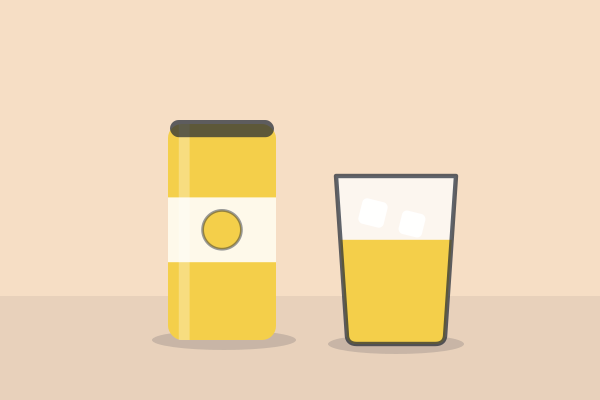
The camera calls a photo IMG_4821.CR3. It comes out as 2027-YB-LEMON12-FRONT-01.CR3, in the PRODUCT folder with FRONT-02. A new shot word starts again at 01: TABLE-01 goes in SCENES.
Straight off the card: IMG_4821.
You pick the year.
AI reads the label and suggests the brand. You check it.
Then the product, the same way.
AI sees how it was shot. If it is not sure, it asks you.
The tool counts it, per shot word: FRONT-01, FRONT-02, TABLE-01.
The first front shot of the Lemon 12-pack, 2027.
How it works
The tool reads the photos. Nothing on the card is renamed, moved or deleted.
AI suggests each shot and the product. You confirm the product and answer the unsure ones.

Build copies every photo into a Ready to file folder, under its new name.

You get a Ready to file folder, a list of every rename and a filing note.

Read only
Nothing on it is renamed, moved or deleted.
Name already taken? Same photo, skipped. A different one is left alone and flagged.
Each new copy is compared with its original, so a half-finished one can't pass for a good one.
Every build writes down what each photo used to be called, with a filing note for whoever moves it.
Needs a word
Under 60% sure, it says so and asks. Nothing unsure is filed as if it were sure: it goes in UNSORTED.
Photograph a QR code before each side of the shoot. It tells the tool which product and which side the next photos are.
Get started
Ask for a walkthrough. We'll reply to set a time, then show you what your team's names and folders would look like.
No. It fills a Ready to file folder, and a person moves that folder to the server.
The version with no AI never sends a photo anywhere. The AI version sends small previews to an outside AI service to read them; the full files stay on your computer.
The version with no AI needs a computer with Chrome or Edge. The AI version also needs a small helper on one Mac, which we set up. Phones can look through a sample, but they can't build.
Photos today. It tells you what video and sound are left on the card.
With AI, load one product at a time. The QR version can split a card by product.
Yes. The pattern and the folders are yours.